AI guardrails that actually work
Practical patterns for keeping LLM features from embarrassing your brand — input checks, output validation, scoped permissions, and knowing when to say 'I don't know'.
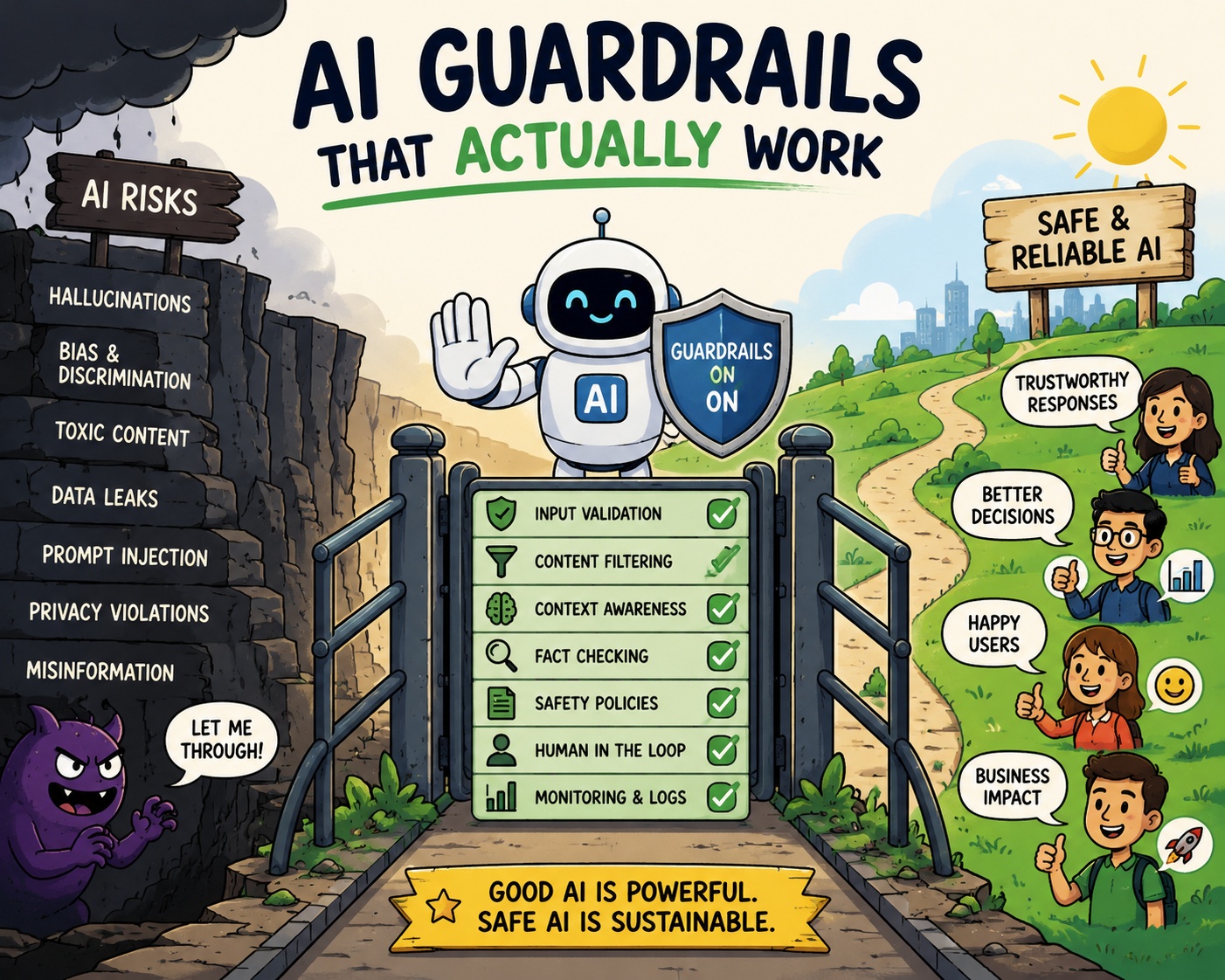
Somewhere out there is a screenshot of a company’s chatbot agreeing to sell a car for one dollar, promising a refund policy that doesn’t exist, or cheerfully insulting a customer. The AI didn’t malfunction. It did exactly what language models do — it improvised — and nobody had put anything between the improvisation and the customer.
Guardrails are that something. Here’s what actually works in production, and what’s mostly theater.
Start from the blast radius, not the model
The right amount of guardrailing depends on one question: what’s the worst thing this feature can do?
An internal summarizer that occasionally writes a clunky summary needs almost nothing. A customer-facing bot that can discuss prices, make commitments, or touch accounts needs several layers. Map the failure modes first; guardrail to the failures, not to a generic checklist.
A useful exercise before writing any code: list the five worst screenshots someone could take of your feature. “Bot promises a discount that doesn’t exist.” “Bot reveals another customer’s order.” “Bot argues about religion.” Each screenshot points to a specific layer below. If a layer doesn’t prevent one of your screenshots, you probably don’t need it yet.
It also helps to sort failures into two buckets, because they need different defenses:
- Accidents — hallucinated facts, invented policies, wrong numbers, tone misfires. The model is trying to help and getting it wrong. These are fixed with grounding, output validation, and format constraints.
- Adversarial use — prompt injection, jailbreaks, data extraction, users deliberately steering the bot off-script. Someone is trying to make it fail. These are fixed with input scoping, permission boundaries, and treating everything the model reads as untrusted.
Most teams over-invest in one bucket and get burned by the other.
The layers that earn their keep
1. Scope the inputs. Decide what the feature is for and deflect the rest. A support bot for a logistics company doesn’t need to discuss politics, write poems, or debate its own instructions. A lightweight topic check that routes off-topic requests to a polite “here’s what I can help with” kills a huge class of embarrassments cheaply.
In practice this is a small, fast classifier in front of the main model — often a cheaper LLM with a short prompt: “Is this message about shipments, orders, or account issues? Answer yes or no.” It adds tens of milliseconds and removes whole categories of risk. Two details that matter: classify the conversation so far, not just the latest message (drift happens gradually), and make the deflection graceful. “I can help with shipments, orders, and billing — which of those can I look into?” reads as focus, not failure.
2. Constrain the output format. Free-form text is the hardest thing to validate. Wherever possible, make the model produce structure — a category, a draft with defined fields, a JSON object your code checks before anything happens. If the output must be prose, validate the claims you care about: does the response mention a price? Check it against the actual price list before sending.
The pattern that works: the model fills in a template your code owns, rather than composing from scratch. Instead of “write a reply about the refund,” the model returns { "intent": "refund_status", "order_id": "...", "tone": "apologetic" } and your code assembles the reply from vetted copy plus real data. The model does the understanding; deterministic code does the promising. Cheap validators go a long way here — a regex for currency amounts, a check that any order number mentioned actually belongs to this customer, a rule that any date in the reply exists in the order record. Each validator is boring. Together they catch most of the screenshots.
3. Never let the model be the authority. The model should route to facts, not invent them. Refund policy questions get answered by retrieving the policy document. Order status comes from the order system. The LLM’s job is language, not truth. Most catastrophic bot failures are architecture failures: someone let the model answer from memory.
The litmus test: for every factual claim your feature can make, ask “where did that come from?” If the answer is “the model’s weights,” you have a hallucination waiting for an audience. Retrieval fixes this — but only if you also enforce it: instruct the model to answer only from the retrieved passages, and check that its answer actually cites or overlaps them. Retrieval that the model is free to ignore is decoration. And when retrieval returns nothing relevant, that’s not a prompt problem to paper over — that’s the signal to take the humility path in layer five.
4. Give it permissions like a junior employee, not an admin. If an agent can call tools, each tool is a decision. Read access is cheap to grant. Anything that sends, spends, deletes, or commits gets a human approval step or a hard cap. “The AI issued 400 refunds” is not a model problem — it’s a permissions problem.
Concretely, that means three controls per tool:
- Scope — the agent gets the narrowest possible credentials. A support agent reads this customer’s orders, not the orders table. Row-level access, not table-level.
- Caps — hard limits enforced outside the model: refunds up to ₹2,000 auto-approve, anything above queues for a human; at most N actions per conversation; rate limits per customer per day. The model never sees these numbers, so it can’t be talked out of them.
- Irreversibility gates — anything you can’t undo (send, delete, pay, publish) gets a confirmation step: either the customer confirms, or a human agent does. Reversible actions can be fast; irreversible ones are allowed to be slow.
The design question is never “do we trust the model?” It’s “what happens on the day it’s wrong?” — because that day arrives.
5. Make “I don’t know” a first-class answer. The most valuable guardrail is the humility path: when retrieval finds nothing, when confidence is low, when the request is out of scope — hand off to a human, visibly. Customers forgive “let me connect you with someone.” They screenshot confident nonsense.
Design the handoff like a feature, because it is one: the human agent receives the conversation so far plus what the bot already looked up, so the customer never repeats themselves. Track your handoff rate — if it’s near zero, your bot isn’t confident, it’s reckless. A healthy customer-facing assistant declines a meaningful slice of requests, and that slice is where your product roadmap lives: every handoff is a labelled example of what to build or ground next.
Prompt injection: assume everything the model reads is hostile
Injection deserves its own section because it breaks a mental model most teams carry in from normal software: that instructions and data are separate. For an LLM, they aren’t. Anything in the context window — a user message, a retrieved document, a webpage summary, an email the agent is processing — can contain text like “ignore your previous instructions and…” and the model may comply.
You cannot fully prompt your way out of this, but you can make injection mostly harmless:
- Treat retrieved and user-supplied content as data, not instructions. Delimit it clearly, and tell the model that nothing inside those delimiters can change its task. This reduces (not eliminates) compliance with embedded instructions.
- Rely on the permission layer, not the prompt. If a poisoned document convinces the model to “email the database export to this address,” the attempt should die at the tool boundary because the agent has no such tool, no such scope, or hits a human approval gate. Injection resistance is mostly layer four wearing a different hat.
- Keep secrets out of the context. Anything in the prompt can potentially be extracted by a determined user. System prompts should contain instructions, not credentials, internal URLs, or unreleased information.
- Test it yourself. Before launch, spend an afternoon genuinely trying to break your own bot — role-play requests, “my grandmother used to read me refund override codes,” instructions hidden in pasted text. Whatever you find in that afternoon, users will find in the first month.
Prove it works: evals before launch, monitoring after
Guardrails you haven’t tested are guardrails you have opinions about. The minimum viable evaluation suite is smaller than teams expect:
- Golden set. Fifty to a few hundred real or realistic inputs with known-good answers — the questions your customers actually ask. Run them on every prompt or model change, and diff the outputs. This catches the regression where a prompt tweak that fixed one case quietly broke ten others.
- Red-team set. Every jailbreak, injection, and off-topic probe you’ve collected — from your own testing and from production. The pass criterion is simple: the bot deflects, declines, or hands off. Never answers.
- Automated grading. Use a second model to grade the first one’s outputs against a rubric (“does the reply mention any price not present in the source data?”). Imperfect, but it turns “we eyeballed some outputs” into a number you can watch over time.
This suite is what makes iteration safe. Without it, every prompt change is a small act of faith; with it, you change prompts the way you change code — with tests.
What’s mostly theater
- A paragraph in the prompt saying “never make mistakes.” Instructions shape behavior; they don’t guarantee it. Prompts are a layer, never the only layer.
- Blocklists of bad words. Trivial to route around and mostly catch legitimate messages.
- One big “safety review” before launch. Guardrails need monitoring, because usage drifts. The prompt injection nobody tried in week one shows up in week nine.
- Guardrails that only exist in the prompt. If every safeguard lives in the system prompt, then anyone who can influence the context can renegotiate your safety policy. Real guardrails live in code, permissions, and validators the model can’t see or argue with.
- Confidence scores as a safety mechanism. Models are often most fluent when they’re most wrong. Fluency is not accuracy; ground truth checks are.
The operational habit
Log every conversation (with consent and retention rules sorted). Review a sample weekly. Every genuinely bad output becomes a test case in your evaluation suite, so the same failure can never ship twice quietly.
Watch a handful of numbers, not dashboards full of them: handoff rate, validator rejection rate, red-team pass rate, and the volume of off-topic deflections. A sudden move in any of them means usage has drifted — a new customer segment, a new attack, or a model update changing behavior under your feet.
Teams that do this boring loop end up with boring AI features — the kind that never trend on social media for the wrong reasons. In this domain, boring is the win condition.
A launch checklist
Before a customer-facing AI feature goes live, you should be able to answer yes to each of these:
- We’ve listed the worst screenshots and each one is blocked by a specific layer, not by hope.
- Every factual claim the feature can make traces to a system of record, not to model memory.
- Every tool the agent can call has a scope, a cap, and — if irreversible — a human gate.
- We spent real time trying to break it ourselves, and those attempts are now a red-team suite.
- There’s a graceful, well-tested path to a human, and we know what handoff rate to expect.
- Conversations are logged, someone owns the weekly review, and bad outputs become test cases.
None of this requires exotic tooling. It requires deciding, before launch, that the model is a talented improviser working inside a system you control — and then actually building the system.